ZERO POINT STAR / AUDIO TOOLS
ZPS Performance Glitch
Break, transform, reassemble.
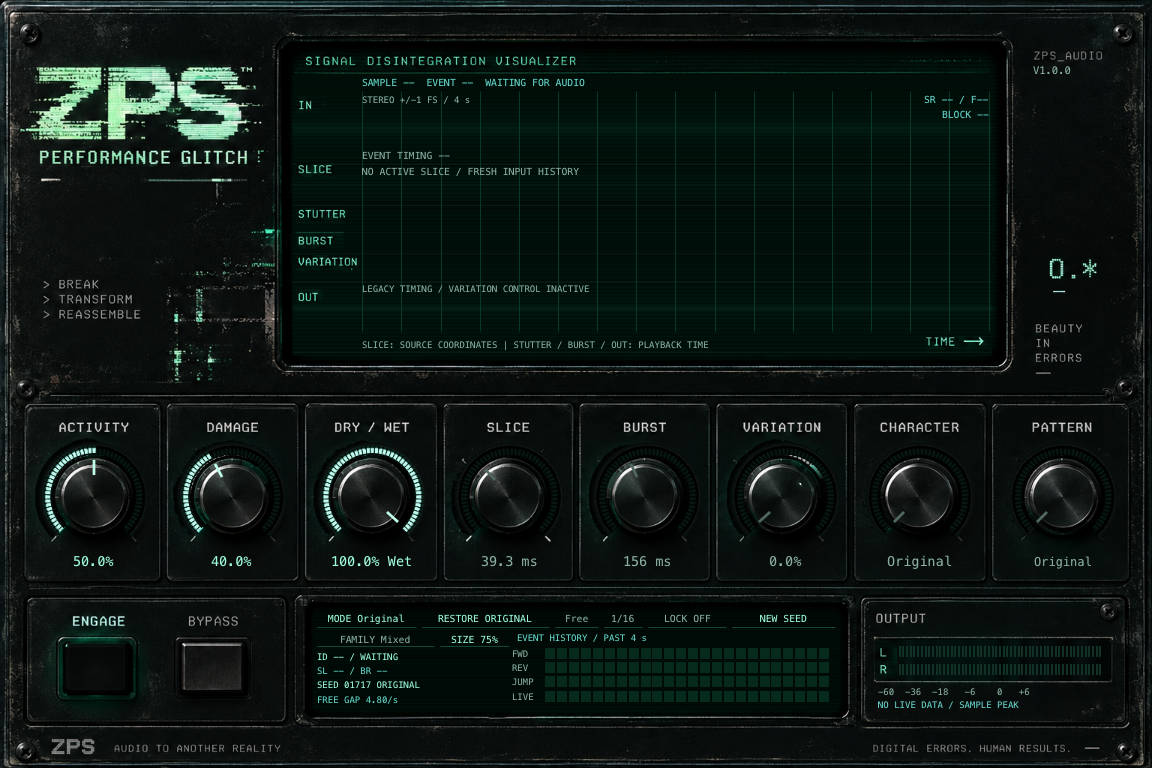
Capture incoming audio and rearrange it into bursts, repeats, reversed fragments and controlled disruptions. Blend the result with Dry/Wet; explore Original and Shaped modes with real input, output and event displays. An audio effect for an existing signal, not a sound generator.
$25.00 USD · one-time
Release in preparation
Purchases are not open yet. No payments are being taken.
The 1.0.0 Intel macOS package is built. Checkout and protected delivery are not open yet. No payment is taken.
Intel macOS 14 or later; VST3 only. The package is ad-hoc signed, not notarized. Ordinary downloaded installation and exact 1.0.0 DAW qualification are not yet verified. Keep OS security enabled; stop and contact support if installation is blocked.
Version 1.0.0
Get started
- Load Performance Glitch as a VST3 effect on an audio track. Begin with quiet monitoring.
- Pass audio through to populate the history, then turn Engage on. Original mode is the default.
- Use Dry/Wet to blend the result. Select Shaped mode to explore Character, Pattern, Slice and Burst.
A few details
Does it generate sound?
No. It captures and transforms incoming audio.
What is included?
Performance Glitch 1.0.0 as an Intel macOS VST3 effect. A compatible host and macOS 14 or later are required.
Does it need a membership or online activation?
No music membership, subscription or online plugin activation is required. Purchase delivery is separate from membership.
Will my earlier settings work?
The plugin identity and parameter mappings are preserved. Legacy pre-0.2 states migrate to Original mode; 0.2.x states retain their saved mode and settings. Saved Dry/Wet is retained where present. Preserve original projects before testing a rollback.